
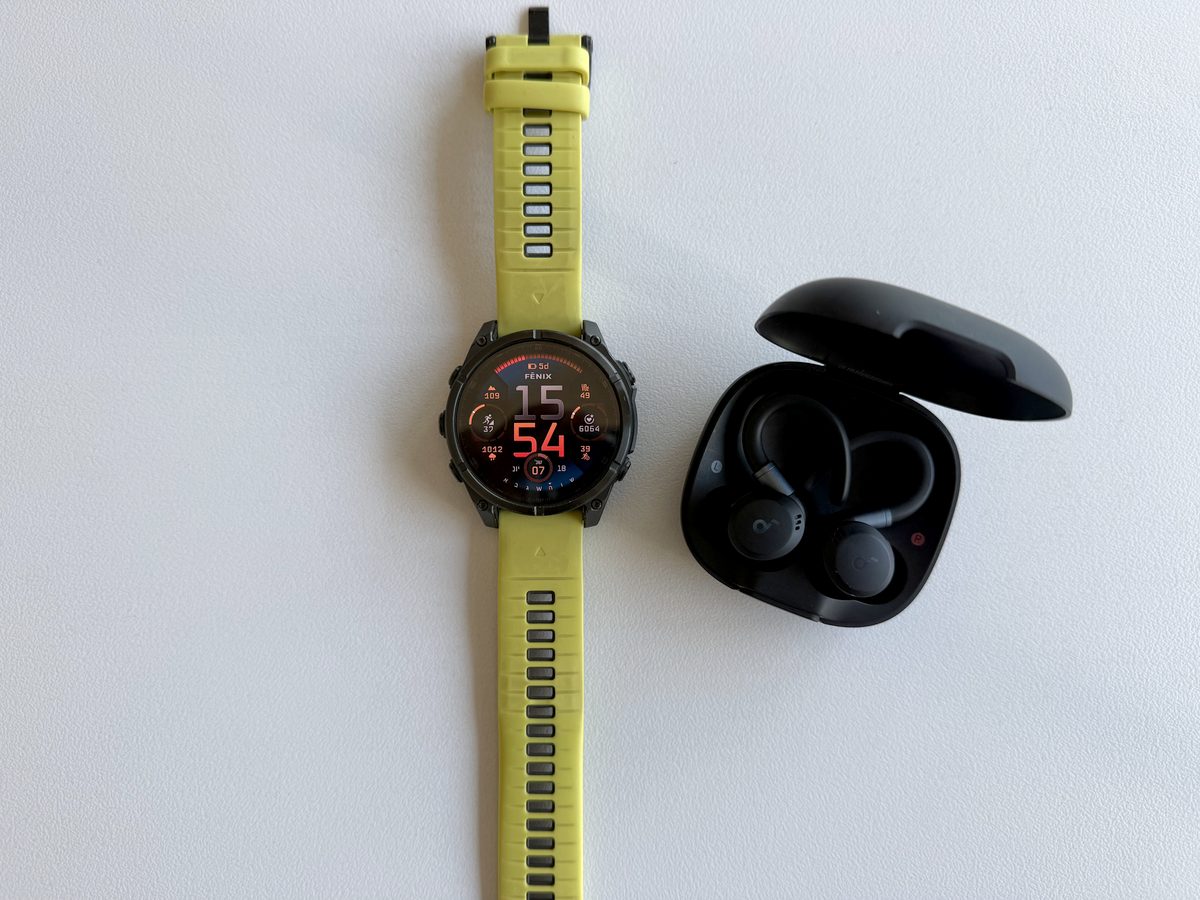
You know that feeling when you’re about to head out for a run?
You’ve synced Spotify to the watch, laced up your shoes, pulled your headphones out of the case — and then you spend the next 15 minutes stuck trying to pair them to the watch while your motivation slowly evaporates.
If that sounds familiar, you’re in the right place.
Today I’ll show you two ways to connect any Bluetooth headphones to your Garmin. I’m using a Fenix 8, but the menu structure is essentially the same across all modern Garmin models.
Before You Start — Pairing Mode
First things first: put your headphones into Pairing mode. Usually this means holding the power button until the LED flashes in alternating colors (often blue-red). Check your headphone manual if you’re not sure.
Method 1 — Via the Settings Menu
- Long press the middle left button
- Scroll all the way down to “Watch Settings”
- Tap “Sensors & Accessories”
- Tap “Add New”
- Select “Headphones” to narrow the search
- The watch shows a “Searching for sensor” screen — wait a few seconds
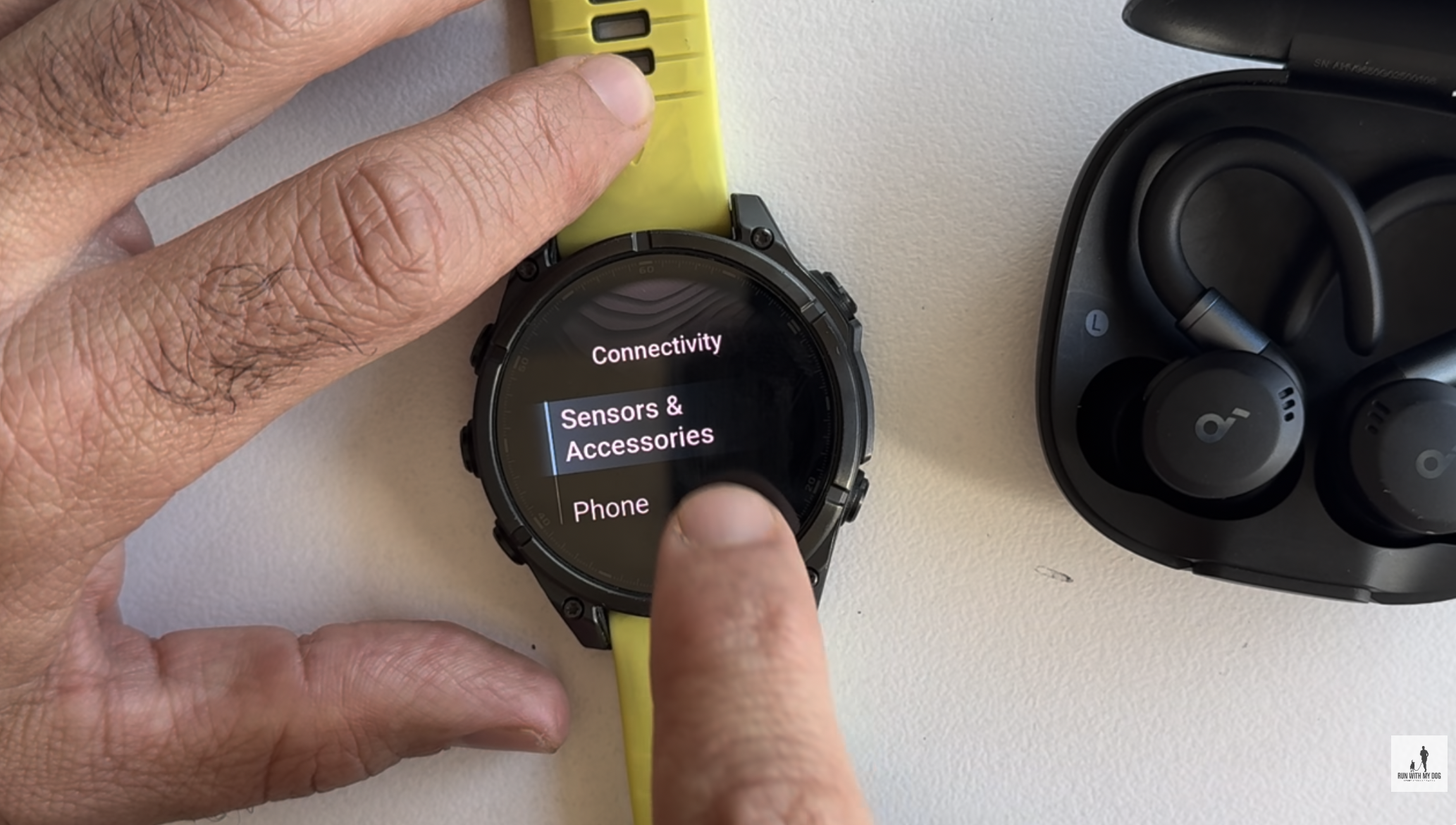
If nothing is found — check that your headphones are still in Pairing mode and try again.
Method 2 — Via the Music App
- Long press the bottom left button — the Music app opens
- Tap the three dots
- On the round menu that appears, tap the gear icon (Settings)
- Select “Audio Output”
- You’ll see a list of previously paired headphones — scroll down to “Add New”
- The watch searches immediately and notifies you when found
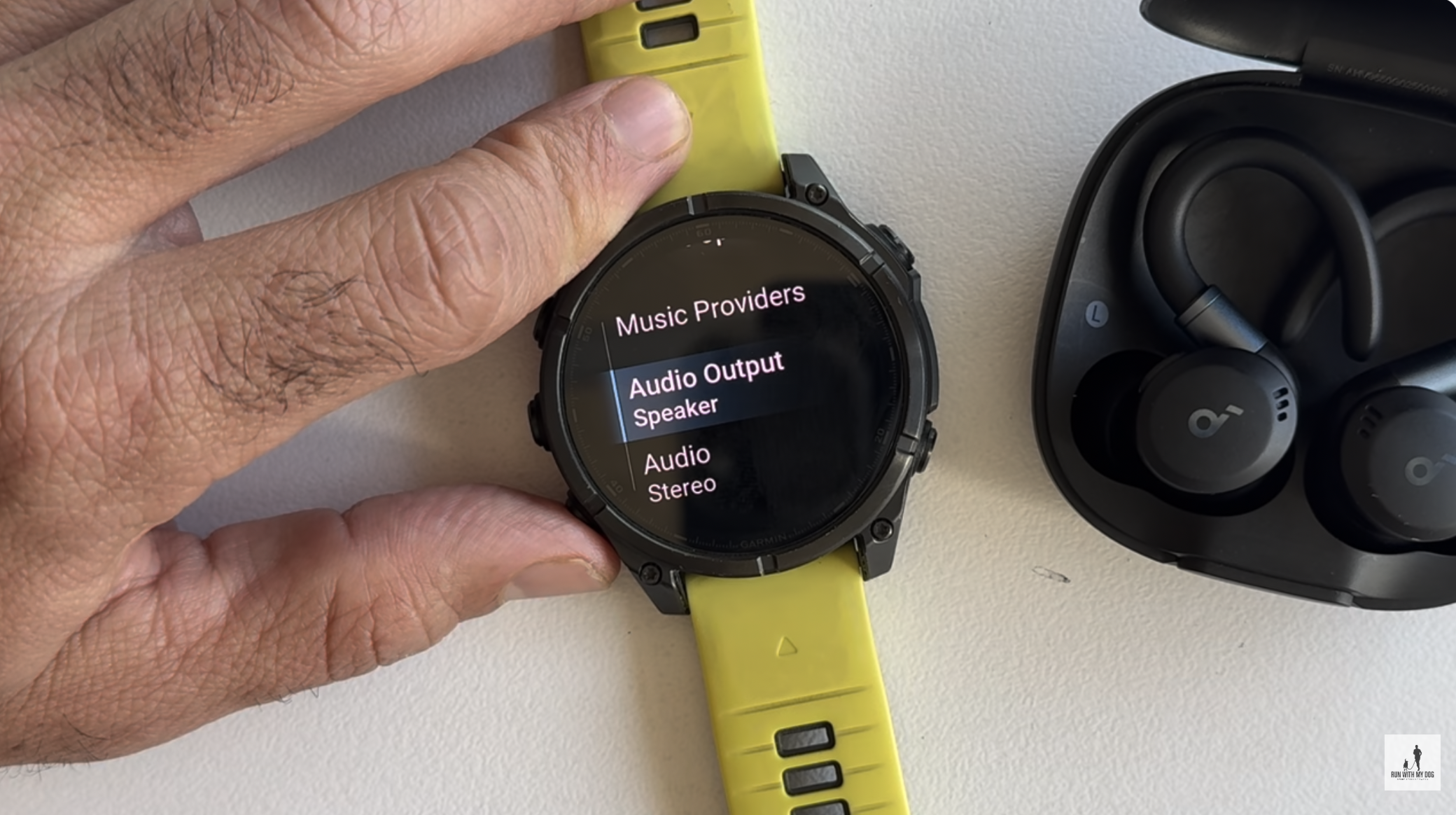
Tip: Method 2 is faster — fewer menus to scroll through.
Not Connecting? Here’s the Fix
If you’ve tried pairing before and it’s just not working, the issue is almost always a stale entry from a previous pairing attempt.
The fix:
- Go to the accessories list
- Find the old headphone entry
- Tap it → scroll down to “Remove”
- Repeat the pairing process using Method 1 or 2
Which Garmin Watches Support Wireless Headphones?
Almost any Garmin with onboard music storage supports Bluetooth headphones. Here are the most common models:
Fenix series: Fenix 5 Plus, Fenix 6 Pro / Solar / Sapphire, Fenix 6X Pro, Fenix 7 / Pro / Solar / Sapphire, Fenix 7X / 7S, Fenix 8 (all versions)
Forerunner series: Forerunner 245 Music, Forerunner 255 Music, Forerunner 265 / 265S, Forerunner 955 / Solar, Forerunner 965, Forerunner 165 Music
Venu series: Venu, Venu 2 / 2S / 2 Plus, Venu 3 / 3S, Venu Sq 2 Music
Vivoactive series: Vivoactive 4 / 4S, Vivoactive 5
Other series: Epix (Gen 2), Epix Pro (Gen 2), Enduro 2 / 3, Tactix 7, MARQ (Gen 2)
Don’t see your model? Check the Garmin website — if your watch has a “Music” variant or “Music” listed in its features, it supports wireless headphones.
Want to see this guide as a video? Check it out on the channel 👆